
[Product Review] Parking Accident? Instantly Sent as Video… The Latest 4K Dashcam, Inavi Quantum4
BMW, Mercedes-Benz, Audi and others source their selected black box cameras and Hi-Pass units from suppliers and fit them at the point of vehicle delivery.
These are products that each importer has carefully considered and chosen. However, over time, their competitiveness diminishes.
Take Mercedes-Benz as an example: the first factory navigation system was introduced in 2016, supplied by Mando at the time. It was then replaced with a VueGear product in 2018, which was used until 2025.
Then, at the end of last year, it was upgraded to the latest specification. BMW is no different. Although it moved more swiftly than Mercedes-Benz, it only started using the current product, the ACE 3.0 Pro, from 2022. Four years have passed, yet it still uses the same product today.
The advantage of factory-fitted black box cameras in imported cars is that they come installed when you buy the vehicle, so you don't need to purchase one separately.
However, they don't always include all the features consumers need.
For example, if a car is used as a second vehicle and is often parked for long periods, the focus is on surveillance recording while parked. But factory black box cameras typically stop functioning after a day or two.
The black box camera draws power from the car's battery. However, it stops working when the voltage drops below a certain level. Ignoring this could drain the car's main battery. Even if a drained battery is recharged, it often doesn't perform as well, which is why a power cut-off function is built into the black box camera.
Fitting an aftermarket black box camera may void your warranty
Among imported car owners, or in car forums, there's a common belief that using an aftermarket black box camera will void your car's warranty.
Is this true? As mentioned earlier, if the battery causes problems while using an aftermarket black box camera, the warranty won't cover it.
Furthermore, they won't take responsibility for issues arising from the wiring work needed to install the black box camera. This could typically include rattles caused by poor finishing.
However, the rest of your warranty remains intact.
In other words, if you wish, you only need to forfeit the battery warranty. A high-performance black box camera, costing tens of millions of won, is installed to protect your car. Is it really right to give up monitoring your car for the sake of a few hundred thousand won?
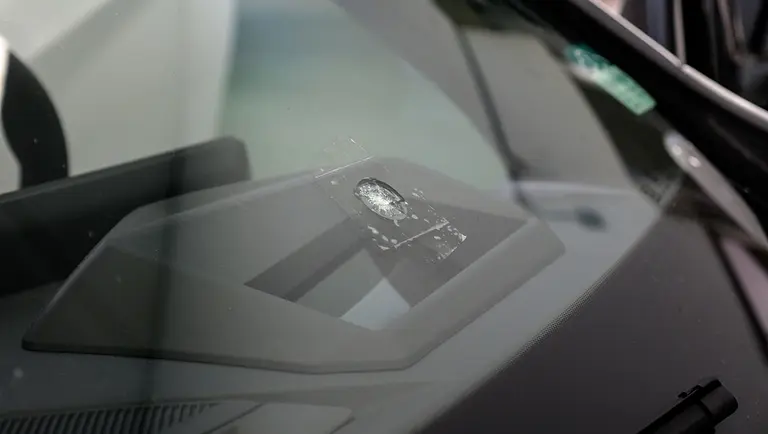
The journalist once had a wheel scratched while the car was with a valet parking service. Recently, they also experienced an accident where a stone flew up and cracked the windscreen while driving. When they returned after work to check what happened, unfortunately, due to the memory capacity limit of the factory black box camera, the footage of the stone hitting the car and the valet parking incident had already been overwritten.
Having experienced these incidents, and also considering the parking surveillance environment for a car that is frequently parked for long periods, I began to think about the limitations of black box cameras.
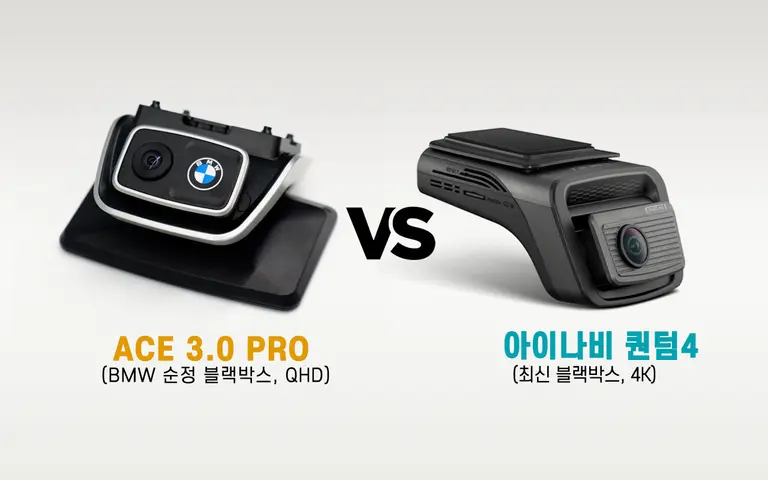
The subject of this review is the iNavi Quantum 4. It's a premium model that supports 4K recording.
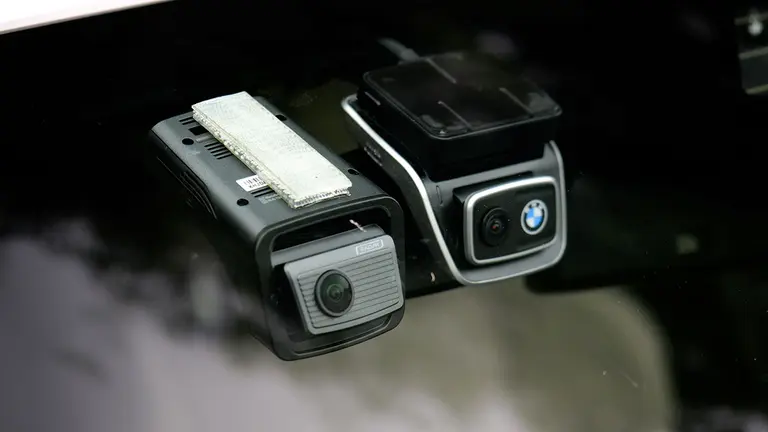
[Image Quality Comparison] BMW Factory ACE 3.0 Pro vs iNavi Quantum 4
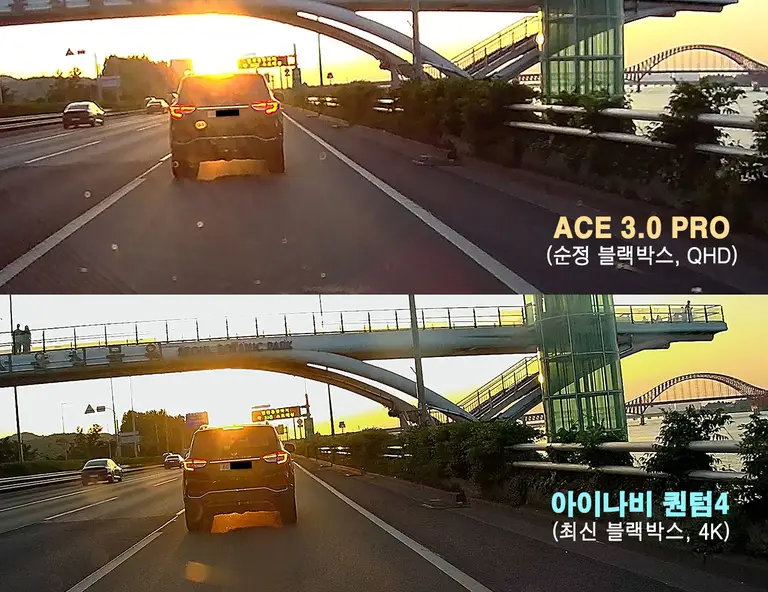
BMW new cars delivered after 2022 are fitted with a factory black box camera called the 'ACE 3.0 Pro'. It supports front QHD image quality and the overall build quality of the product is excellent. It performs adequately in everyday driving conditions, but it often shows limitations in long-duration recording and image quality in low-light environments.
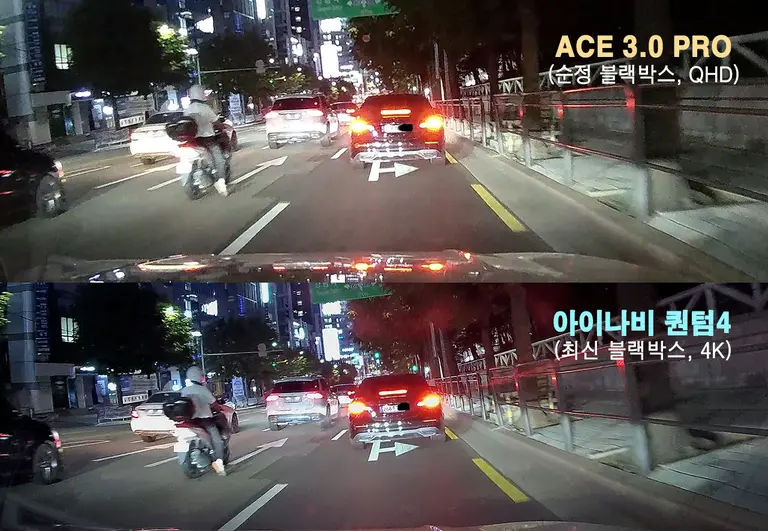
The most noticeable difference between the two products is resolution and night-time visibility. Comparing the temporarily installed new iNavi product, the 'Quantum 4', with the existing factory black box camera for this review revealed a surprisingly significant difference. Particularly in low-light conditions, the factory product showed poorer noise suppression and struggled to clearly capture number plates in adjacent lanes. In contrast, the Quantum 4 clearly demonstrated its competitiveness in night-time image quality, thanks to the sharpness of its 4K high resolution and Sony's latest 'Starvis 2' sensor.
Even during daytime driving, strong sunlight or backlighting can make it difficult to identify number plates on other vehicles. Test results showed that the Quantum 4 effectively controlled light flare, making number plate identification easy even in daytime and backlit conditions. Most satisfying, however, is its support for a large memory capacity of up to 512GB. This ample storage space allows it to retain driving information from several days prior, preventing the loss of crucial accident footage.
Auxiliary Battery and Radar Sensor for Long-Term Parking
When driving a high-performance car as a second vehicle or weekend car, it often ends up parked for long periods. However, to prevent the car's main battery from draining, a typical black box camera will cut its own power after a day or two. If an accident or so-called 'door ding' vandalism occurs during this time, it might only be discovered days later, making it very difficult to find the cause. Especially in areas without CCTV, finding the cause is virtually impossible.
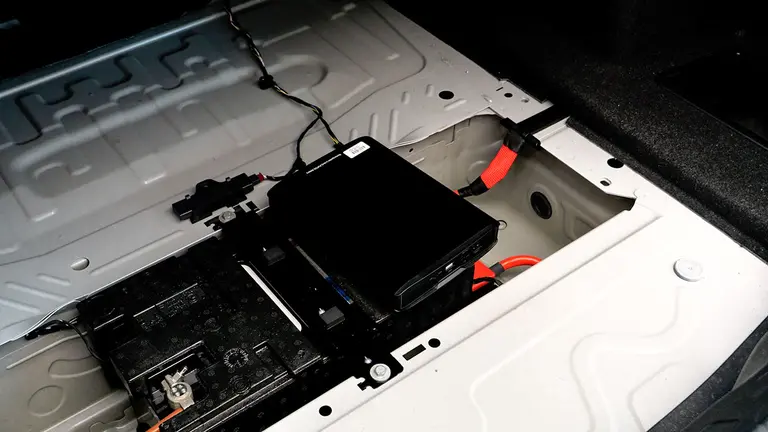
A dedicated auxiliary battery for the black box camera is a solution to this nagging worry. It powers the black box camera from its own battery, rather than using the main battery, maximising the camera's operating time.
For this review, I was provided with a new iVolt auxiliary battery made by iNavi. The model is BAB-90Q. Its dimensions are 21.5 x 15.5 x 3.5 cm (length, width, depth), making it a manageable size to store in the boot.
This new product offers an ultra-low power parking mode and battery saving mode when used with iNavi's premium Quantum and QXD series models. It is based on Lithium Iron Phosphate (LiFePO4) and features BMS 2.0 to prevent fires, with a notable triple FET design. Simply put, it places three switching elements along the current path, so even if one element fails or is overloaded, the others operate independently to cut the power. It's essentially a system with a built-in backup.
Other features include overcharge prevention, over-discharge protection, and low-voltage cut-off. It also has an input voltage fluctuation response function, which protects the battery from surge voltages occurring when the car starts and voltages from the alternator. Such protection is necessary because the auxiliary battery is also charged via the car. The review unit, BAB-90Q, has a capacity of 7500mAh. It takes 65 minutes for a fast charge and 100 minutes for a standard charge to reach full capacity.
In my own use, based on the ultra-low power mode, it consumes about 12% of its power per day. This means it can handle long-term parking of roughly one week without issue.
To conserve the auxiliary battery as much as possible, the Quantum 4 supports an ultra-low power mode. In this mode, the built-in 'radar sensor' only activates recording when an object approaches close to my car.
Typical black box cameras use motion detection recording, which constantly analyses movement within the camera's frame, consuming a lot of power. It also reacts to swaying branches, passing cats, or changes in light, wasting memory on unnecessary video recordings.
In contrast, the radar sensor operates based on physical distance. Instead of keeping the camera constantly on, it maintains an ultra-low power standby state. Only when a physical object approaches within a certain distance does it record 10 seconds before and after the event. AI distinguishes between people and cars, filtering out meaningless movements, which drastically reduces battery consumption and saves significant storage space. However, the radar sensor itself is expensive, so it is only used in premium black box cameras.
Connected System for Real-Time Updates on Your Car's Status
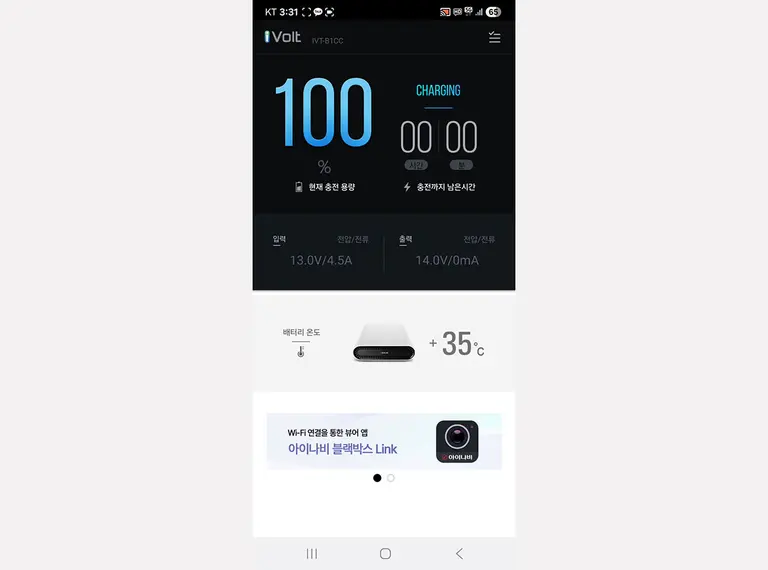
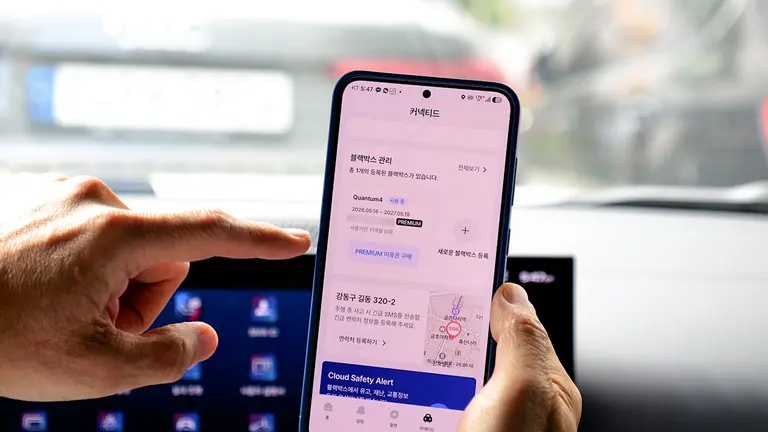
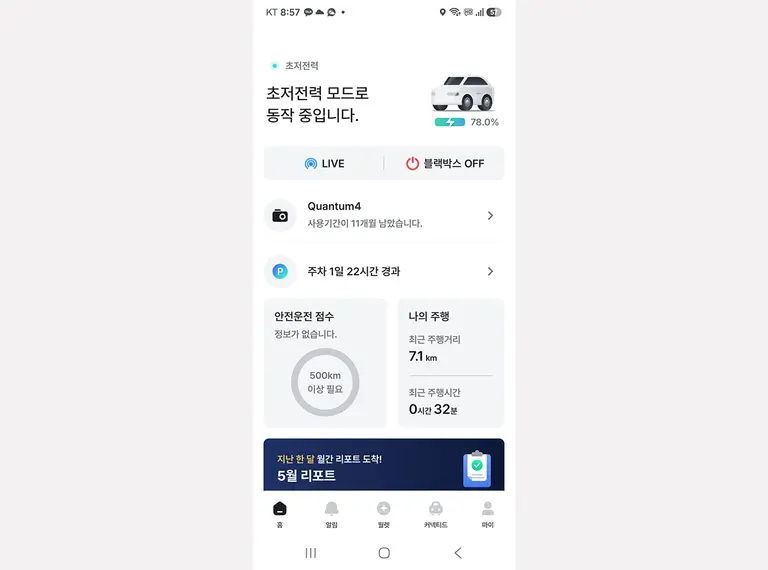
Adding a connectivity module to the Quantum 4 expands the black box camera's usefulness a bit further. You can check the remaining charge of the auxiliary battery installed earlier via the dedicated connectivity app.
Depending on the mode setting, you can also view the real-time surroundings of your car. Even when using ultra-low power mode to save battery during long-term parking, if an impact occurs to your car, it records 10 seconds before and after the impact and sends it to your smartphone. Previously, only photos were sent, but now you can visually understand the cause of the incident. However, there is a drawback: you must download the video within 10 minutes of receiving the alert. After that time, it switches back to ultra-low power mode and stops recording.
You can also check the parking duration. Additionally, it has a function to store your car's driving information. It records on a map whether you drove within the speed limit on your route, and where any instances of hard acceleration or hard braking occurred. Sharing this information with your insurance company can earn you a discount on your premium, similar to the discount offered by TMAP navigation.
Beyond real-time monitoring, accident footage transmission, checking auxiliary battery level and main car battery voltage, the connectivity feature also aids in maintenance. This is because you no longer need to remove the memory card and connect it to a PC to update firmware or safe driving data, as you did in the past. Updates can be done remotely via the connectivity app on your smartphone. Even without using navigation, the built-in GPS can alert you to speed cameras.
Smartphone Apps
The Quantum 4 has no display. This allows for a slim design that sits flush against the windscreen. However, the lack of a display can make checking footage inconvenient. Fortunately, it solves this problem by strengthening its connection with a smartphone.
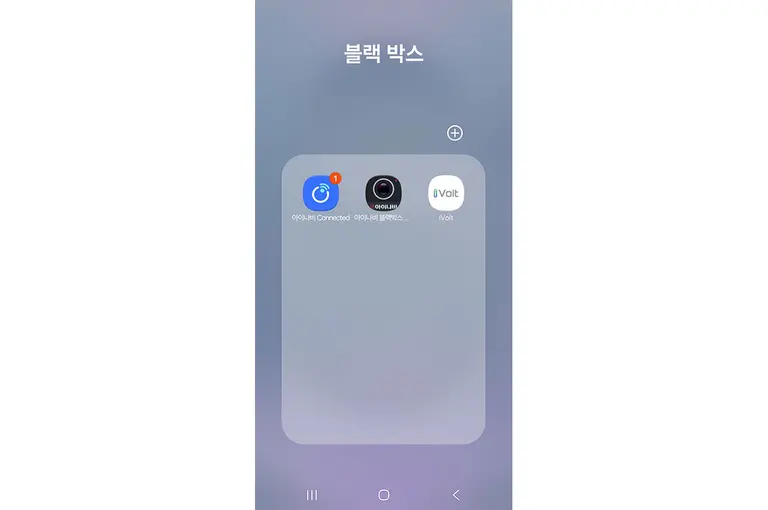
- iNavi Connected: A dedicated app that uses the LTE modem-equipped connectivity module to send impact footage, provide real-time monitoring, show driving轨迹, safety scores, and auxiliary battery level.
- iNavi Black Box Link: The basic app for connecting to the black box camera to search and download footage, and configure camera and recording settings.
- iVolt: A dedicated app for the auxiliary battery that shows battery level, estimated charging time, and battery temperature.
All functions can be accessed through these three apps. Furthermore, the interface of each app is not complicated, making them easy to use.
Personally, I like the physical buttons on the black box camera unit. I often use the manual recording function, and with the previous touch-type unit, I frequently failed to start recording at the desired moment.
Also, the old unit indicated recording with a small 'ding' sound, whereas the Quantum 4 conveniently announces via voice that manual recording has started. I also appreciate the status LED on the unit, which makes it easy to understand its status.
Summary
Which consumers would benefit from using this?
In truth, the Quantum 4 is an expensive premium black box camera. So, it's not easy to recommend lightly. Furthermore, for purposes primarily focused on recording accidents while driving, rather than parking, it has many luxurious features.
Components like the GPS and radar sensor also contribute to the unit's high price. Adding the connectivity module, auxiliary battery, and 512GB memory pushes the total cost slightly over one million won.
Therefore, I recommend it for second cars, supercars, or high-value vehicles that are not driven frequently and are often parked for long periods.
The ability to receive immediate footage if your car is damaged or impacted during long-term parking is a significant help, alleviating worry.
Premium saloons that you've splurged on are also recommended candidates.
Of course, there are drawbacks. When set to ultra-low power mode via the connectivity feature, the function that monitors your car for extended periods using the auxiliary battery is supported, but the real-time monitoring (Live) function is not available.
Also, after an impact triggers an alert, the impact footage can be downloaded for 10 minutes, but after 10 minutes, it reverts to ultra-low power mode. It would be good if iNavi engineers could, in the future, allow the device to be woken from ultra-low power mode, or enable the real-time monitoring function temporarily even in ultra-low power mode.
Having used it for about three weeks for this review, I found there are workarounds. For instance, using the car's own connectivity features, such as briefly starting the engine remotely via the smartphone app.
Furthermore, buying the unit, auxiliary battery, and connectivity module all at once can be a significant expense. It would be beneficial if these were offered as a package with a greater discount. While it might not be appropriate to discuss price for a product aimed at the premium market, it would be good if more consumers could experience it.
Rating: Out of 5
Design: 3.0 Image Quality: 5.0 Price: 3.0 Dedicated App: 3.5 AutoView Recommendation: 4.0
Comments
0 comments